


The Orq.ai CLI can do anything the Orq.ai API can do, and more. Manage prompts, agents, deployments, knowledge bases, evaluators, traces, and the rest of the platform from a terminal, CI, or scripts. It's generated from the full OpenAPI spec, so every endpoint is a command.
Two kinds of work get easier. The first is your own. The whole platform is manageable from the terminal, so you check which prompt version is live, pull a failing trace, or fire a completion to confirm routing works, quicker than any trip through the UI.
The second is your coding agent's. The CLI combined with Orq.ai Skills gives an agent both the commands and the best practices for using them, so it knows what to run and in what order. You describe the outcome, it drives the CLI. For a tool that can't run commands or install packages, orq connect mcp registers the Orq.ai MCP server instead.
Start using it
Install the binary and wire up your workspace.
Or install it from npm.
orq setup signs you in, creates a workspace API key, and configures the coding agents already on your machine to route their model calls through the Orq.ai Gateway.
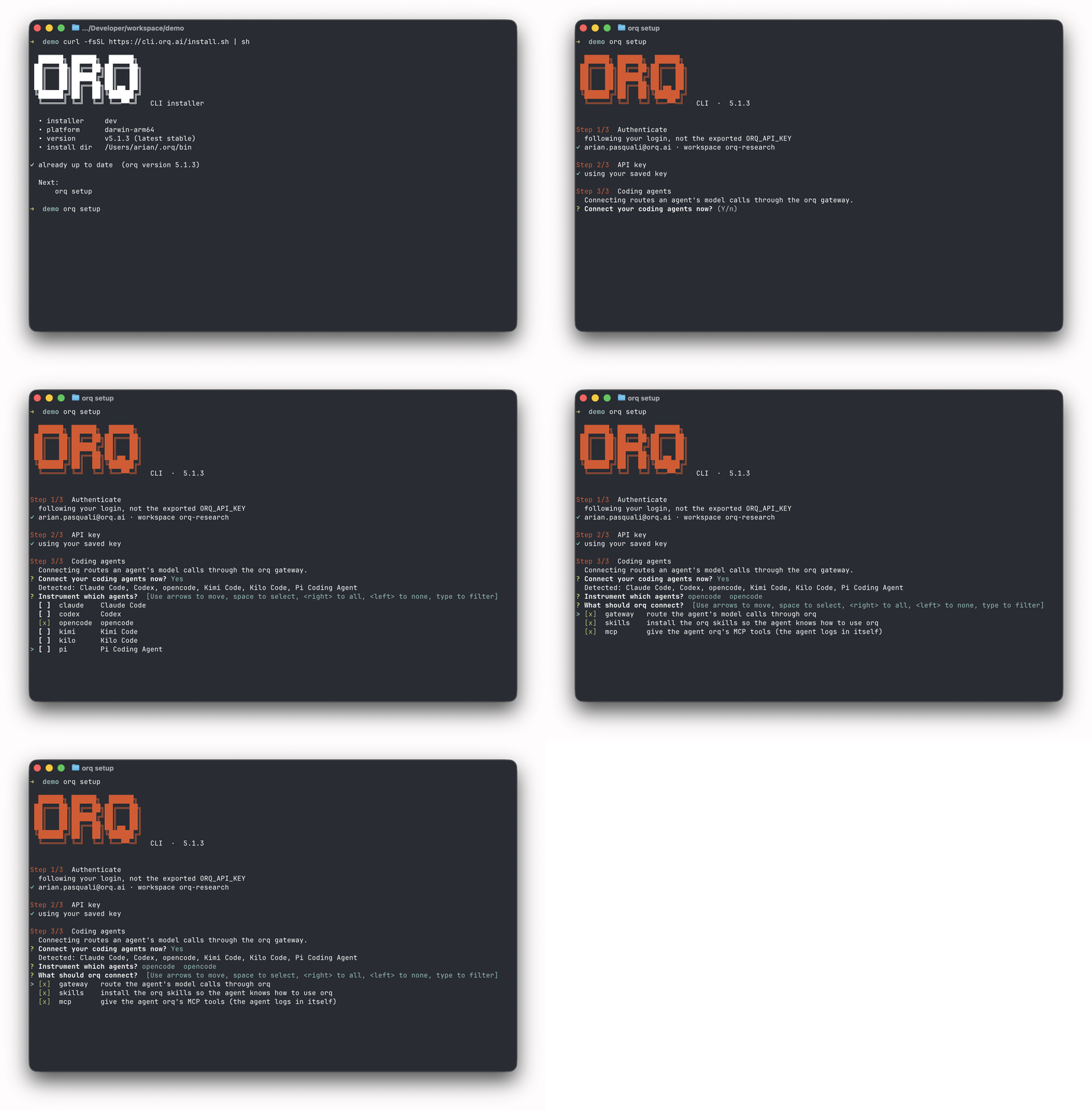
What it looks like in practice
These are just example commands. You can find all of them in the CLI reference, and every command documents its flags with --help. The CLI itself is on GitHub, which is also where bug reports and feature requests go.
Wire your coding agents
orq setup already ran this for the agents it found. orq connect is the command underneath, and you can rerun it per agent or per capability whenever your machine changes.
Six agents are supported today. Claude Code, Codex, OpenCode, Kimi Code, Kilo, and Pi.
Upgrade
Upgrading is a command rather than a hunt for release notes. It replaces the binary using whichever method installed it, npm or the install script.
The CLI also checks its own version at startup and tells you when you're behind.
When something is off, orq doctor inspects config, auth state, and endpoint reachability in one pass. orq doctor --fix tightens the permissions on your credential files, and --report prints a pre-filled issue URL so a bug report takes one paste.
Pair it with Agent Skills
The CLI is more useful when the agent in your terminal knows how to use it. Orq.ai Skills are the instructions that teach an agent the platform, which command to reach for, which workflow to follow, and what to do with the result. They arrive with the CLI rather than being downloaded each session, so they work offline and stay current. Add them by running orq connect skills.
Routing your coding agents through the AI Gateway with orq setup is the on-ramp to a governed Software Factory. You do not need a fully agentic SDLC on day one. Start with one workflow, set the guardrails, and expand autonomy once the numbers hold.
Moving forward
Issues and feature requests go to the CLI repo; if you don't have an account yet, start at my.orq.ai.